top of page

Computer dust cleaning

We remove accumulated dust from your computer to reduce temperatures, noise, and the risk of failure, ensuring stable performance.

Original parts
or premium
Diagnostic gratuit
Symptoms

The computer overheats, the fans are noisy, performance drops, or the system shuts down during use.

Possible causes

Dust buildup in the cooling system, obstructed fans, clogged filters, or a lack of regular maintenance.

Solutions

We thoroughly clean the cooling system, remove dust from inside, and check the fans to restore optimal cooling.

Recommended services

Dust cleaning

​

Timp estimativ:

Garanție:

2–3 hours

3 months

Cooling system cleaning

​

Timp estimativ:

Garanție:

3–5 hours

3 months

Cooling system cleaning + thermal paste

​

Timp estimativ:

Garanție:

2–3 hours

6 months

See the repair price for your model

Related issues

Computer dust cleaning
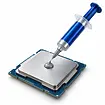
Thermal paste replacement
Laptop dust cleaning

Why choose Restart.md Service?

Restart.md – 4.9 rating on Google, with over 534 reviews

4.9 Google rating

over 542 reviews

Original or premium parts for device repair

Original parts

or premium

Warranty for all repairs performed at Restart.md

Warranty

for all repairs

Quick repairs, with an average duration of 1–3 hours

Quick repairs

1 - 3 hours on average

Qualified specialists with over 10 years of repair experience

10+ years of experience

Qualified specialists

Restart.md in Chisinau, Calea Moșilor Street 4, store 17

Chișinău

4 Calea Moșilor Street, Unit 17

3aae868aba87ff55ed2ab1ef43f8f9ef.jpg

Not sure what is wrong with your device?

Send us the model and describe the symptoms - we will tell you whether it is worth repairing.

✔ We respond quickly ✔ Free consultation
✔ No obligations

Restart.md Google review
bottom of page